Cancel an Order (Customer Flow)
Customers can cancel an order themselves if you have Cancel order turned on in Editing rules. Cancellation is immediate — no approval queue, no merchant action.
What the customer sees
On the Order Status Page, inside the Edit your order card, a row labelled Cancel this order. Clicking it expands a small confirmation:
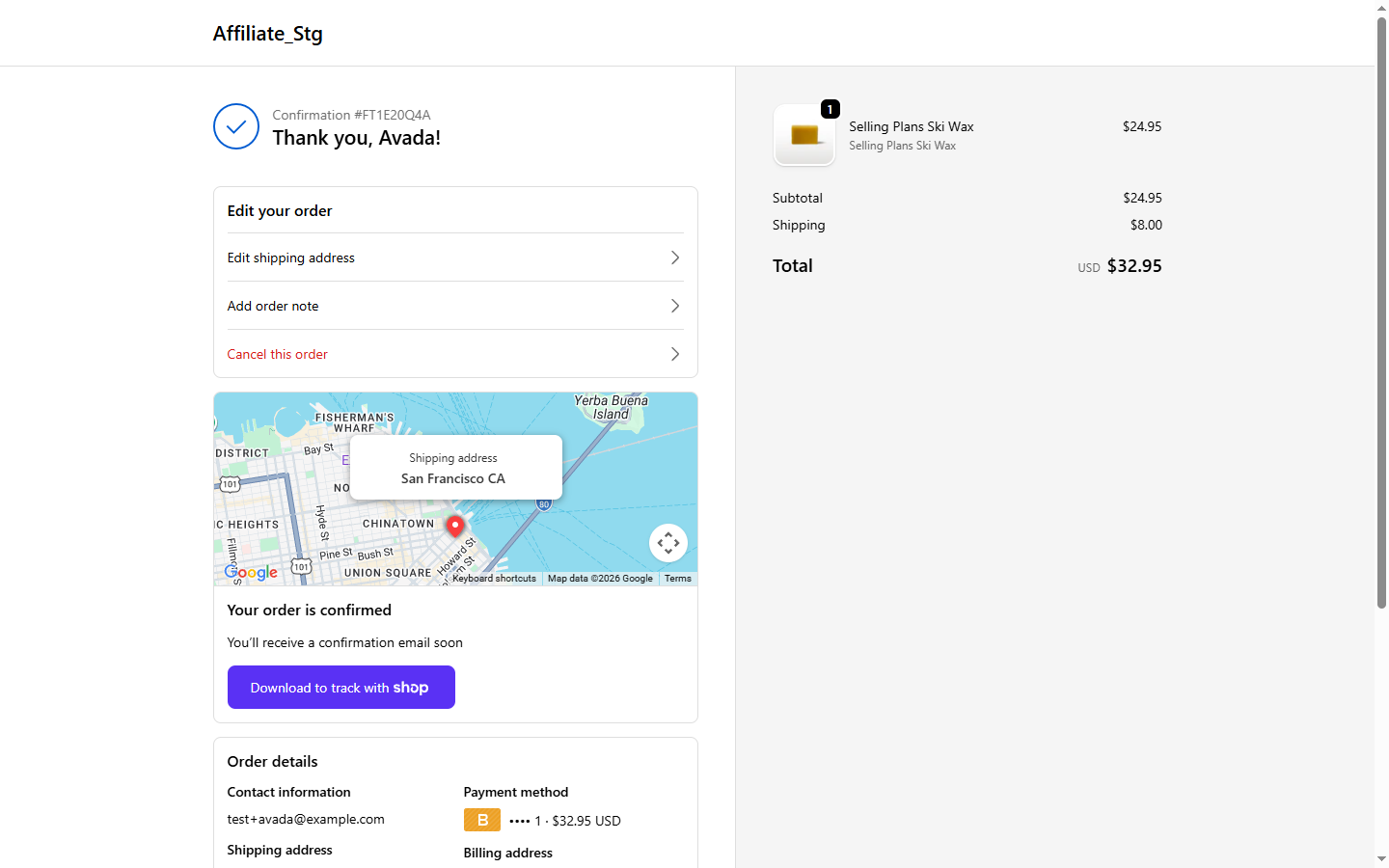
- A reason dropdown. The app ships seven reasons, Ordered wrong item, Wrong shipping address, Changed my mind, Item no longer needed, Shipping takes too long, Duplicate order, Found cheaper elsewhere, plus Other with a free-text field. You can rewrite this list in the Cancel order panel of Editing rules, up to 10 reasons. Other is always pinned last.
- A red Cancel order button.
- A Keep order button to back out.
When the customer clicks Cancel order:
- We mark the order as cancelled in Shopify.
- We auto-refund the full amount, to the original payment method or as store credit, following your Refund destination setting.
- We auto-restock every line item that was reserved.
- The Order Status Page updates with a Cancelled badge.
Offers to keep the order
If you turned on Offers to keep the order and mapped the reason the customer picks to a suggestion, the flow gets one extra step before anything is cancelled:
- The customer picks a reason. The red button changes from Cancel order to Continue.
- They click Continue. The form is replaced by one suggestion card, for example Change what's in your order with a Change items button, or Change the delivery address with a Change address button. The card wording adapts to what you allow in that panel.
- Below the card sits a No thanks, cancel my order button.
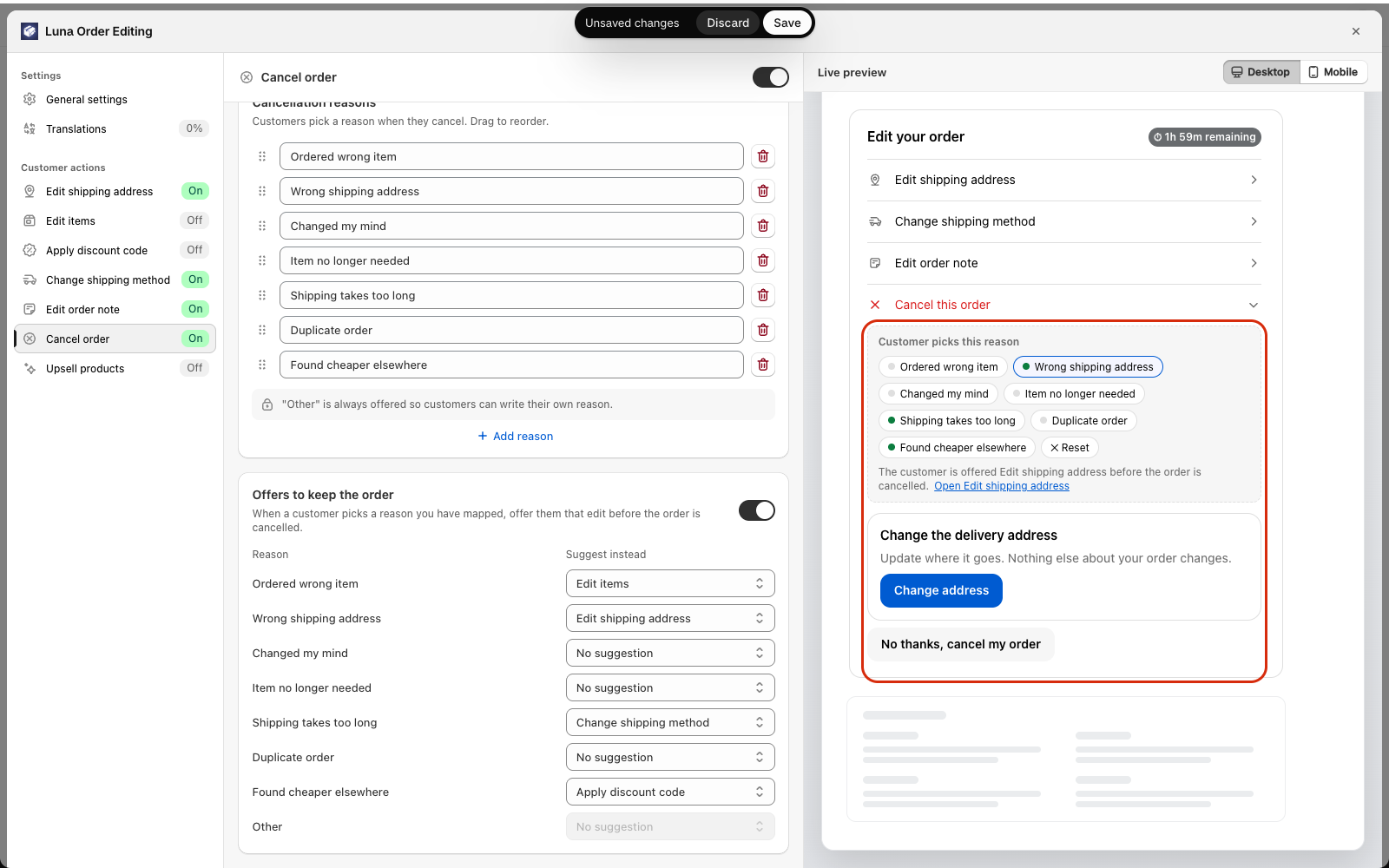
What happens next depends on the customer's choice:
- They accept the suggestion. The matching panel opens (Edit items, Edit shipping address, Change shipping method or Apply discount code), with a banner on top: Your order has not been cancelled. Make your change and save it, or leave without saving and nothing changes. If they save, the order is kept with the change. If they leave without saving, the order stays exactly as it was, not cancelled.
- They click No thanks, cancel my order. The usual Cancel this order? confirmation opens, and cancelling works exactly as described above. The same suggestion is not offered again until the page is reloaded.
If the reason has No suggestion, or the feature is off, the button stays Cancel order and nothing changes from the standard flow. Offers never touch money on their own: the order is only changed if the customer saves an edit.
What happens behind the scenes
| Action | Default | Notes |
|---|---|---|
| Refund | Full, to the destination you chose | Original payment method by default, or store credit. See Refund destination |
| Restock | All items, all locations | Respects original reservation |
| Email to customer | The app's own branded Order canceled email (when that email is turned on) | When on, it replaces Shopify's default so the customer doesn't get two |
| Email to merchant | The Order canceled staff email, sent immediately with no batching (when that email is turned on) | Both emails are toggles in Notifications |
What customers cannot cancel
- Orders past the time window you configured.
- Orders that are already fulfilled or partially fulfilled, or already cancelled.
- Orders currently being edited by the merchant from the Shopify admin (the row is briefly locked while that happens).
- Orders paid via methods we cannot auto-refund (rare, manual/offline gateways). The row hides for those.
What if the customer changes their mind?
Cancellation is final. To re-create the order, the customer places it again on your store. We do this on purpose — restoring a cancelled order would re-reserve inventory and re-charge, which is rarely what anyone actually wants.
See also
- Offers to keep the order, set which edit to suggest for each reason
- Email delivery rules — why merchant gets the email instantly
- Refund & restock behavior — edge cases with mixed payment / multi-location